Last updated: November 20, 2026
Key Takeaways
- Send a written request, add required authorization, and specify the exact records.
- Include the pet, owner, clinic, and claim details in one short message.
- Use the clinic’s preferred channel so the request reaches records staff first.
- Missing authorization, vague dates, and wrong contact details are the main delays.
You need How to Request Veterinary Records for a Pet Insurance Claim when filing a pet insurance claim, and the clinic is the source. Quick answer: in most cases, a written request with the pet’s name, dates of care, and any required release form is the fastest path, but the clinic’s policy controls the exact process. The steps below show what to ask for, how to send it, and how to avoid delays.
Who this applies to, and what you need before you start
This applies if you’re filing an insurance claim and you need the veterinary clinic to send medical records, not if you’re only asking for a receipt or estimate. It assumes you know the clinic name, your pet’s name as it appears in the chart, and the dates tied to the visit or treatment; if you do not, contact the clinic or a qualified professional for guidance and check the clinic’s records policy. If the claim involves a disputed diagnosis, a coverage question, or a large bill, the insurer may ask for a fuller medical record set, and a qualified adviser should be consulted for your own situation because this is information rather than financial advice.
You’ll usually need a record release form or an authorization form, because the clinic may not hand over the chart without written permission. Some clinics use a client portal, some prefer email, and some still want fax. That part matters. Wrong channel, wrong delay. For privacy rules and medical-record release basics, see the American Veterinary Medical Association and the U.S. Department of Health & Human Services on authorization and access: https://www.avma.org/resources/pet-owners/petcare/pet-medical-records and https://www.hhs.gov/hipaa/for-professionals/privacy/guidance/access/index.html
- Have your insurer’s claim number ready if you already received one.
- Keep the pet’s microchip number handy if the clinic uses it to match the chart.
- Ask whether the insurer wants the full medical record, the visit notes, or only one date range.
- Check whether the clinic charges a records fee before you submit anything.
- Save a copy of every message you send.
The hub on pet insurance claims documentation covers the larger claim file; this page stays on the owner-side request for records.
How do I request veterinary records for a pet insurance claim?
You request them in writing, attach any required authorization, and tell the clinic exactly which records to send. That is the clean answer. The practical version is to name the insurance claim, give the date range, and use the clinic’s preferred channel so the request lands in the medical records department instead of a general inbox.
Here’s the catch: a vague request like “please send my dog’s records” can sit for days because staff have to locate the chart, verify permission, and guess what the insurer needs. A precise request cuts that back-and-forth. In many clinics, a complete request can move the same day or within several business days, while a missing authorization can add another round of contact.
Use this 8-step process
- Open the insurer’s claim page or email and note the exact record request, including any date range or document type they named; verify whether they want the full chart, SOAP notes, invoices, or lab reports, and flag a problem if the request is broader than the claim period.
- Download the clinic’s record release form or authorization form, if one is available; verify the form asks for the pet’s name, your name, your signature, and the clinic’s details, and watch for a problem if the form is missing a signature line or expiration date.
- Fill out the form with the pet’s full name, species, breed if requested, and the exact dates of treatment; verify the dates match the claim, and treat a mismatch as a red flag because the clinic may send the wrong file set. If you are unsure which dates to use, consult the clinic or another qualified professional and check the insurer’s claim instructions.
- Attach a copy of your government ID if the clinic requires it; verify the clinic’s policy first, and treat a request for ID as normal if they are protecting the chart under privacy rules. If the clinic’s rules are unclear, consult the office or another qualified professional and review the clinic’s records policy before sending ID.
- Send the request through the clinic portal, email request, or fax request that the clinic lists as preferred; verify the recipient address or fax number before sending, and stop if the clinic says a different office handles records. If you are unsure which contact to use, consult the clinic or a qualified professional and confirm the correct records destination.
- Ask for a confirmation that the request was received and logged; verify you get a reply that names a staff member or ticket number, and note a problem if the clinic says it cannot find the form.
- Request a copy in a format the insurer can read, such as PDF or scanned pages; verify the file is legible, all pages open, and the dates are visible, and flag a problem if pages are missing or crooked scans hide the chart.
- Follow up after the clinic’s stated turnaround time if the records have not moved; verify the insurer still accepts late documents, and treat silence from the clinic as a reason to escalate through the office manager, not to resend the same vague request. If the clinic’s turnaround time is not posted, consult the office and ask for the expected completion date.
What should be in the request?
Your request should identify the pet, the owner, the clinic, and the insurance claim in one short message. That sounds obvious, but it is where most delays start. If the clinic has to search by nickname, old phone number, or an unlabeled attachment, the file can stall for several business days.
A strong request usually includes the pet’s legal or chart name, the visit date, the insurer name, and a clear statement that you authorize release of records to the insurer or to you. If the clinic uses a portal, upload the signed form there. If it uses fax, put the fax number on the form and on the cover sheet. The AVMA notes that veterinary records are typically released with owner authorization, so keep the request specific and consistent with the clinic’s policy.
- Pet name and species
- Your full name and contact number
- Visit date or treatment date range
- Insurance company name
- Claim number, if you have one
- Signed release form, if required
- Preferred delivery method: portal, email, or fax
If you’re not sure what level of detail to ask for, ask the clinic for the records tied to the claim date plus any related follow-up notes. That covers the common pattern without forcing the staff to guess at the insurer’s needs. If the insurer asks for a narrower file set, follow that instruction exactly.
What if the clinic has a portal, email, or fax request?
Use the channel the clinic says it prefers, because that’s the one most likely to reach the medical records department first. A portal is often the cleanest option because it creates a time stamp and a copy of what you submitted. Email is fine when the clinic accepts it. Fax still matters in some offices because it drops into a records queue.
The truth is, each channel has trade-offs. Portals can hide where the request landed. Email can go to spam. Fax can be blurry if the machine is low on toner. Even so, each channel can work when the contact details are correct.
Match the channel to the clinic’s workflow
- Clinic portal: Use this when the clinic offers it and lets you upload the release form and claim details together.
- Email request: Use this when the clinic names a records email and says attachments are accepted as PDF.
- Fax request: Use this when the clinic lists a fax number for records and asks for a cover sheet.
- Phone call: Use this only to confirm receipt, not as the only request path.
What to verify:
- The portal shows a submission confirmation.
- The email gets an auto-reply or staff reply.
- The fax confirmation lists the correct number and pages sent.
What indicates a problem:
- The office says “we never got it.”
- The attachment is too large or blocked.
- The fax confirmation shows a failed send.
- The portal has no upload receipt.
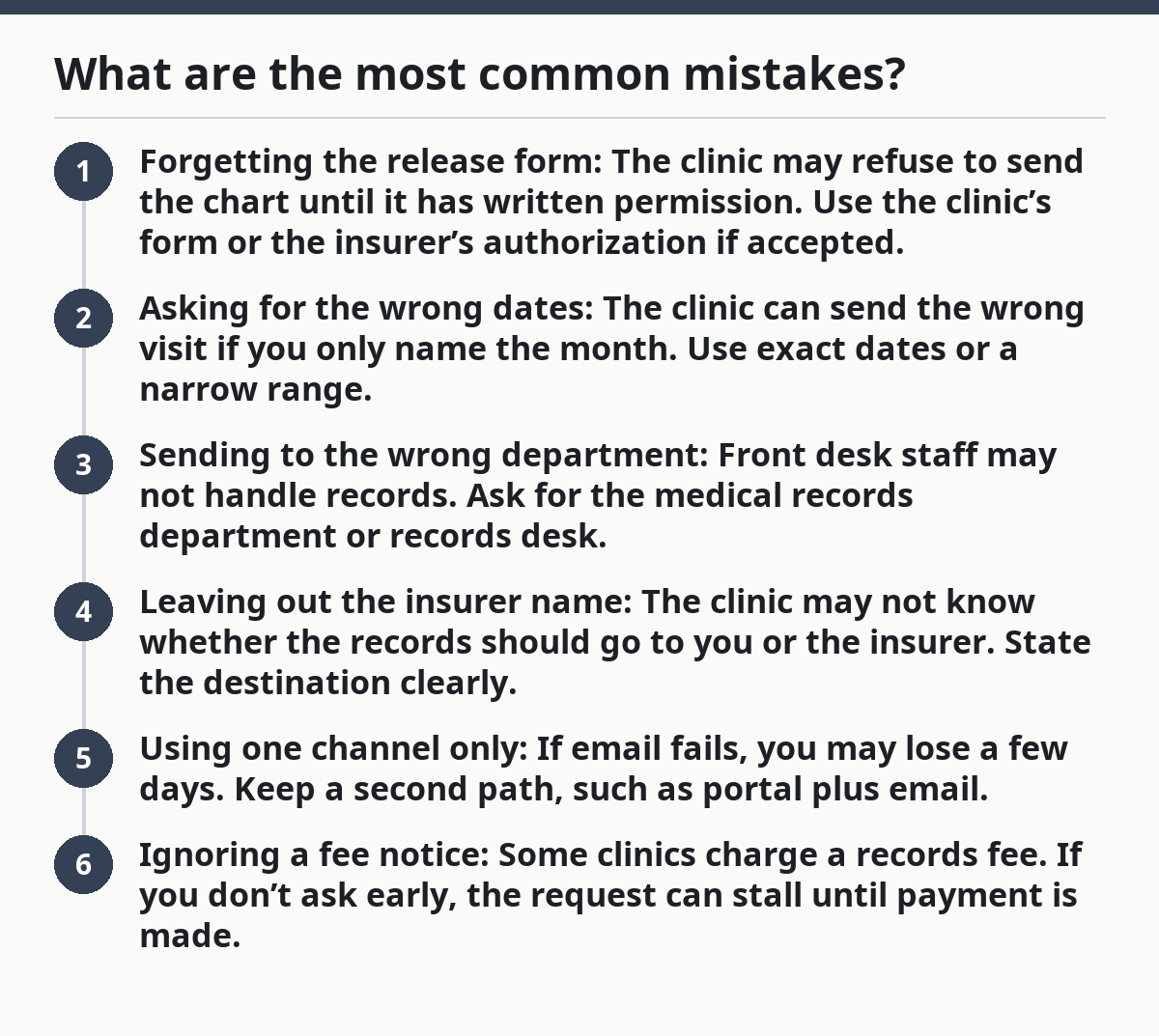
What are the most common mistakes?
The most common mistakes are missing authorization, a vague date range, and using the wrong clinic address or fax number. Those errors do not usually destroy a claim, but they slow the file and can trigger a second request from the insurer. That means more waiting and, in some cases, a delayed decision on payment.
A generic “send records” note is weak. A request that names the chart, the claim, and the delivery method is stronger. Not even close. A clearer request also reduces the odds of a second message from the clinic asking for missing details.
- Forgetting the release form: The clinic may refuse to send the chart until it has written permission. Use the clinic’s form or the insurer’s authorization if accepted.
- Asking for the wrong dates: The clinic can send the wrong visit if you only name the month. Use exact dates or a narrow range.
- Sending to the wrong department: Front desk staff may not handle records. Ask for the medical records department or records desk.
- Leaving out the insurer name: The clinic may not know whether the records should go to you or the insurer. State the destination clearly.
- Using one channel only: If email fails, you may lose a few days. Keep a second path, such as portal plus email.
- Ignoring a fee notice: Some clinics charge a records fee. If you don’t ask early, the request can stall until payment is made.
When should you stop and get help from the clinic office manager?
You should stop relying on a simple email and move to the clinic office manager when the request needs sorting, not just sending. This is a money process, but it still lives inside a medical chart system, and that system has rules.
The clinic says it needs a court order or special consent: That means the request is outside normal release rules — ask the clinic what exact document it needs and get the insurer to confirm the next step.
The records involve another owner or caregiver: That means the clinic may need more than your signature — ask what authorization is missing before resubmitting.
The chart has a name mismatch: That means the clinic may have multiple pets or owners under similar details — provide the microchip number, old phone number, or prior address if the clinic asks for it.
The insurer wants a narrow file set: That means the clinic may not know which pages matter — ask the records staff to limit the release to the claim date range and related notes.
The clinic has gone past its stated turnaround time: That means the request may be stuck in a queue — ask for a status check and the name of the staff member handling it.
The insurer rejects the file for readability or completeness: That means the scan or fax quality failed — ask the clinic to resend in PDF or a clearer scan, not as a phone photo.
How long does it usually take?
It usually takes from the same day to several business days, depending on the clinic’s workflow and whether the release form is complete. A portal submission with all fields filled in is usually faster than a fax with missing dates. If a clinic batches records requests once a day, a request made late Friday may not move until the next business day.
A good result looks like this: the clinic confirms receipt, the insurer gets legible records, and no one has to ask for the same chart twice. A poor result looks like this: missing pages, the wrong date range, or a request stuck because nobody can find the signed authorization.
Here’s the best part: a clean request often saves time later in the claim, because the insurer is less likely to chase missing pages.
What if the clinic charges a records fee?
If the clinic charges a records fee, ask for the amount, the payment method, and whether the fee covers email, portal upload, or paper copies before you approve anything. Clinics set these charges differently, and the amount can vary by location, by number of pages, and by whether the file is going to you or directly to the insurer.
That fee does not mean the claim is wrong. It means the clinic is billing for staff time and copying. The practical move is to ask whether a PDF sent through the portal costs less than a mailed packet, and whether the insurer will accept a direct clinic-to-insurer release. If the fee is more than you expected, ask for the clinic’s records policy in writing and compare the options.
FAQ
Can an insurer request records directly from the vet?
Yes, sometimes, but the clinic may still require your written authorization first. Some insurers have a standard release process and some do not. If the insurer asks you to sign something, send it back quickly and keep a copy of what you submitted.
How long does it take to get records?
It depends on the clinic’s queue, the request channel, and whether the authorization is complete. A portal request can move faster than email or fax, while a missing signature can slow any of them down. If the clinic gave you a turnaround estimate, use that as the first checkpoint.
What if the clinic charges a records fee?
Ask for the fee in writing before you pay it. The charge may depend on the format, page count, or delivery method, and those terms can change by clinic and location. If the insurer needs the records, confirm whether the clinic can send them directly after payment is cleared.
Drafted with AI; not yet reviewed by a person.