Last updated: November 19, 2026
Quick answer: what to do when your vet forgot records for a claim
Your pet insurance claim is stalled because the vet clinic did not send the medical records, and this article is about What to Do When Your Vet Forgets to Send Records for a Pet Insurance Claim. You can usually fix this by asking the clinic for the records yourself, then uploading them through the claim portal if the insurer allows it. In many cases, the paper trail is recoverable in 24 to 72 hours once the right person is asked.
The steps below show who handles what, what to check, and when to stop chasing the clinic and switch to a faster route.
Key takeaways
- Start with the clinic, not the insurer, because the missing piece is often a release form or an unfinished records request.
- Keep the invoice, visit date, and pet details lined up before you upload anything.
- A missing record can delay payment, and it may also lead to a denial if the insurer still does not receive what it needs.
- If the clinic is slow, ask for a direct copy of the medical records and submit them yourself if the portal accepts uploads.
- This is information, not financial advice; if your policy wording is unclear, a qualified adviser can help with your specific situation.
Who this applies to — and who should handle it differently
This applies to you if your vet clinic has already seen your pet, you have an invoice, and the insurer says the file is waiting on medical records from the clinic. It also applies if the clinic promised to send the notes but nothing reached the claim portal.
It does not apply in the same way if you never asked for records at all, if the insurer rejected the claim for a separate reason, or if the policy has a special process for direct billing. The issue here is the ownership gap between the clinic and the insurer — not a general claim problem.
Picture this: you’ve paid the bill, started the claim, and now the insurer says it can’t move without the chart notes. The fix is usually simple, but only if you know who holds the file and what proof they need. The good news is that the paper trail is often recoverable in 24 to 72 hours once the right person is asked.
Here’s the catch:
- A receptionist may say “we sent it,” while the insurer says “we never got it.”
- A release form may be sitting unsigned in your inbox.
- The clinic may have the records, but not in the format the insurer wants.
Before you do anything else, gather:
- The pet’s full name as it appears on the policy.
- The date of the visit.
- The invoice or receipt.
- The insurer’s claim number, if you have one.
- Any email that mentions a release form or missing documents.
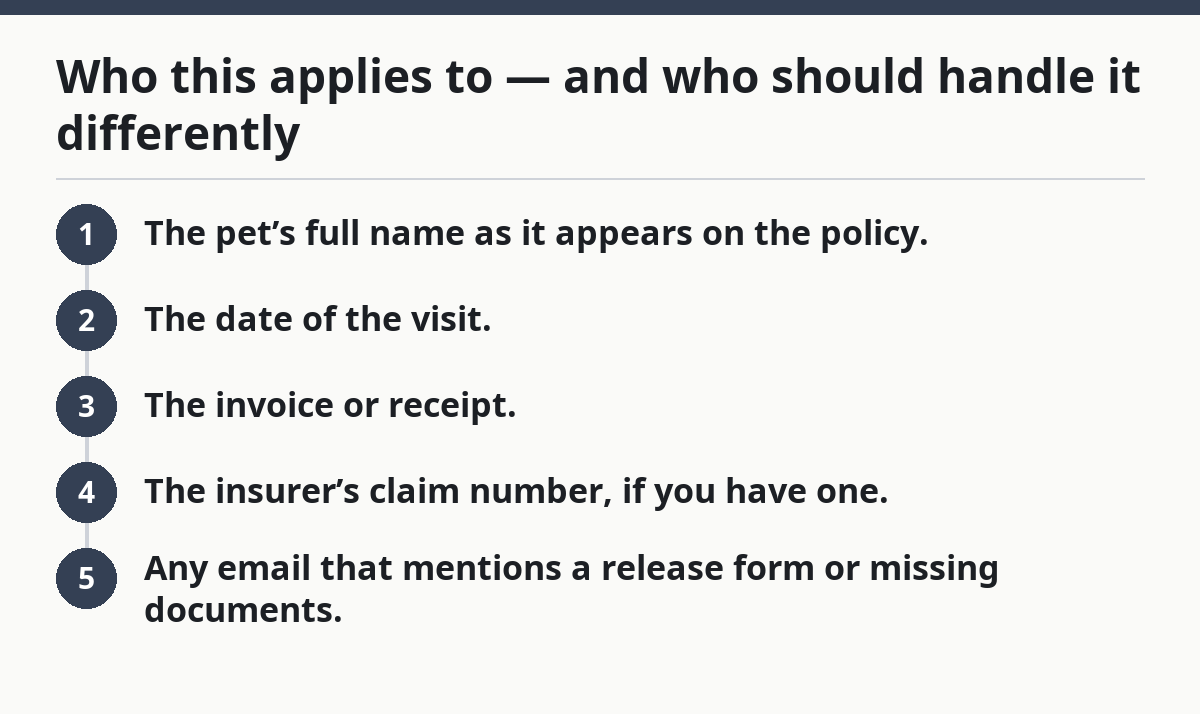
That set of details keeps the next steps from turning into a back-and-forth loop.
What to check before you call the clinic
You can save time by confirming whether the insurer already has part of the file. Sometimes the clinic sent the invoice but not the medical records, or the insurer received a blank page from a fax and needs a resend. That matters because it changes who has to act next.
The first thing to read is the insurer’s request in the claim portal or email. Look for the exact wording: “clinical notes,” “medical history,” “SOAP notes,” or “release authorization.” SOAP notes are the vet’s structured visit notes — Subjective, Objective, Assessment, and Plan. Not every insurer uses the same label, and some want only the date range tied to the claim.
Check these points before chasing anyone:
- Does the insurer want records from the clinic, or will it accept a copy from you?
- Did the clinic ask you to sign a release form?
- Is the insurer asking for the same visit date shown on the invoice?
- Is there a file upload limit in the portal, such as a single PDF or a document size cap?
- Did the insurer already mark the claim as “pending documents” rather than “closed”?
If the answer to any of those is unclear, reply in writing through the portal. Written messages are easier to track than phone calls, and they create a record if you need to resubmit later.
How to get the records sent the right way
You usually fix this by asking the clinic for a copy of the records and, if needed, having them send the same file directly to the insurer. The process is simple, but it works best when you make one clean request instead of several vague ones.
Start with the clinic’s records or reception desk. Ask for the chart notes from the visit tied to the claim and ask whether they need a signed release form before they can send anything. If they do, complete it the same day. Delays often come from that one missing signature, not from the records themselves.
Then follow these steps:
- Confirm the exact visit date. Use the invoice date and appointment date together, because clinics sometimes bill on one day and chart notes on another. Verify the claim date matches the service date. If the dates do not line up, the insurer may ask for clarification.
- Ask for the records in writing. Send a short email or portal message to the clinic requesting the medical records tied to the claim. Include the pet’s name, your full name, and the claim number if you have one. If the clinic has multiple departments, ask for records or medical support, not just front desk staff.
- Sign any release form promptly. Many clinics will not send records without written permission. Check whether the form asks for a fax number, email, or insurer address, and fill in every blank. A missing signature or unchecked box is a common reason the request stops.
- Request the records as a PDF. A PDF is usually easier to upload than photos, scans, or paper copies. If you are unsure which pages the insurer needs, ask the clinic to include the visit notes, diagnosis or assessment, and treatment plan, and check the insurer’s instructions or a qualified professional if anything is unclear. If the file is split into several pages, ask for one merged document.
- Upload the records yourself if allowed. If the insurer’s portal accepts customer uploads, submit the clinic’s file there under the correct claim number. Confirm the portal shows a successful upload or a status update. If the file disappears into a draft folder, the claim may still sit idle.
- Ask the clinic to send a second copy directly. If the insurer insists on direct clinic submission, ask the clinic to resend the file by the insurer’s preferred method. Verify the destination email, fax number, or portal instructions before they send it. Wrong routing is a common failure point.
- Save every confirmation. Keep screenshots, email replies, and upload receipts in one folder. If the claim stalls later, you can show the insurer that the clinic sent records or that you uploaded them on a certain date. That record often shortens the follow-up.
- Follow up once more after a short wait. If nothing changes, check back with both sides. Ask the clinic whether the records left their system and ask the insurer whether the file was attached to the claim. If one side says yes and the other says no, you have a routing problem, not a document problem.
If the clinic charges a records fee, ask for the amount before agreeing. Policies and clinic rules vary by location, and some offices will only release records after payment is settled. That is a billing issue, not a claim issue, but it can still block the file.
The best part is that once the insurer has the right document, the claim usually moves without a new form unless something else is missing.
Can I send the records myself?
Yes, if the insurer’s portal accepts customer uploads and the policy rules allow it. Some insurers will accept records from the pet owner as long as the document is complete, readable, and tied to the correct claim number. Others still want the clinic to send the file directly.
Picture this: you have the records in your inbox, but the insurer’s message says “provider submission preferred.” That wording matters. Some portals let you attach the file as backup while still asking the clinic to send the original. If you skip the preferred method, the claim may sit in review for longer than expected.
Use this check:
- If the portal has an upload button for medical records, submit the PDF there.
- If the portal only has a text box or photo upload, ask whether a document email address exists.
- If the insurer says “from the provider only,” do not assume your copy is enough.
- If the file is blurry, cropped, or missing pages, resend a cleaner scan.
One practical move helps here: rename the file with the pet’s name and visit date before uploading. That makes it easier for a reviewer to match the document to the claim. A file named “scan0004.pdf” is easy to miss in a pile.
When to stop chasing the clinic and switch tactics
You should switch tactics when the clinic has already confirmed the request, but the insurer still shows no progress after a reasonable follow-up. That usually means the file did not reach the right inbox, the release form is incomplete, or the records are sitting in a queue.
The clinic says it sent the file twice: The records may be stuck in the insurer’s intake queue — ask the insurer for the exact upload method and resend through the preferred channel.
The insurer says it has no document on file: The claim is waiting on proof — upload your copy if the portal allows it, and ask the clinic to resend directly.
The clinic asks for a release form you never signed: The request cannot move — complete the form and ask for a resend the same day.
The record file is unreadable or incomplete: The insurer may not be able to assess the claim — request a cleaner PDF with all pages included.
The claim portal is closed or locked: The insurer may require a new upload path — ask for a support ticket or claims email, then attach the records there.
If the clinic will not release records without a formal authorization, stop trying to push the file by phone alone. Written requests, signed releases, and portal messages leave a trace. That matters when the claim has already been pending for several days.
The mistakes people make with missing vet records
The most common mistake is sending the invoice and assuming the insurer can work from that alone. An invoice shows what you were charged; it does not always show why the visit happened or what the vet found. If the reviewer needs clinical context, the claim stays open.
Picture this: you upload a receipt, wait a week, and then learn the insurer wanted chart notes from the vet visit. That is a paperwork miss, not a policy lesson. The fix is usually cleaner submission, not a brand-new claim.
Other mistakes to avoid:
- Only calling the clinic once. The consequence is a stalled file with no paper trail. The better move is a written follow-up that names the claim number and visit date.
- Uploading photos of paper pages with glare or cut-off edges. The consequence is unreadable evidence. The better move is a flat scan or PDF with all margins visible.
- Forgetting the release form. The consequence is a request that never leaves the clinic. The better move is to sign and return it before chasing a second response.
- Mixing up multiple visits. The consequence is the wrong chart notes being attached. The better move is to match each claim to one date and one invoice.
- Assuming a “pending” claim is denied. The consequence is unnecessary panic and duplicate submissions. The better move is to read the insurer’s status message and respond to the missing-item request.
If a claim has already been resubmitted once and still sits unchanged, use the insurer’s support channel and ask what exact file name, format, or source they need. That keeps you from sending the same document a third time in the wrong way.
What happens if the record is missing for too long?
The claim can slow down, and it may also fail if the insurer never receives the records. Many insurers pause review until they receive the records, and some will hold the file open for a period before closing it for inactivity. The exact timing depends on the insurer, the policy, and local rules, which is why you should read the claim notice closely.
Picture this: the insurer asks for records, the clinic is busy, and a week goes by. A short delay can be normal. A long silence is not. If the file still sits unchanged after you have both contacted the clinic and uploaded your copy, the next move is a status check through the insurer’s claims team.
Use this rule of thumb:
- If the claim shows “pending documents,” keep the record request moving.
- If the insurer closes the claim, ask what reopening or resubmission path it allows.
- If the clinic cannot provide records fast enough, ask whether another copy of the same visit can be sent by the insurer’s preferred method.
- If the policy has a submission deadline, confirm whether the clock runs from the visit date or the claim date.
This is where your paperwork discipline pays off. A tidy folder with the invoice, release form, claim number, and upload receipt is much easier to reopen than a scattered set of texts and screenshots.
For a broader map of how these steps fit into the full reimbursement workflow, see the hub on pet insurance claims and reimbursement workflow. For a related walkthrough on timing and paperwork, see pet insurance claim deadlines and what counts as a vet record for insurance.
Can I submit vet records myself?
Yes, if the insurer accepts customer-uploaded documents. Many claim portals let you attach a PDF of the medical records, invoice, and any release form the clinic required.
The catch is that some insurers still want records sent directly from the clinic. If the portal says “provider only,” or if the request specifically names the vet clinic, upload your copy as support but also ask the clinic to send the file in the required way.
What records does pet insurance need from the vet?
The insurer usually needs the medical records tied to the visit, not just the bill. That may include chart notes, the date of service, the exam findings, the treatment plan, and any diagnosis or assessment the clinic documented.
Different insurers use different terms, so read the request carefully. If the portal asks for “SOAP notes” or “clinical notes,” that is the vet’s written visit record. If you are unsure which pages count, ask the clinic and check the insurer’s instructions or a qualified professional before submitting. For general records guidance, see the AVMA’s client resources on medical records and your insurer’s claim instructions.
Drafted with AI; not yet reviewed by a person.