Last updated: November 19, 2026
Yes — many pet insurers let you track a claim online through a member portal, a mobile app, email notifications, or a claim reference number. If you are asking, “Can You Track a Pet Insurance Claim Online?”, the answer is often yes, though the exact view depends on the insurer. The steps below show where updates usually appear and what to check if the status looks stuck.
Quick answer: where online claim tracking usually happens
You can usually track an online pet insurance claim in a member portal, a mobile app, or by following email notifications tied to your claim number. The exact screen names differ by insurer, but the pattern is the same: log in, open claims, and look for a status line such as received, in review, pending, or complete.
Key Takeaways
- Most insurers put claim updates in a portal or app, not on the home page.
- Your claim number often helps you find the right file faster.
- Email can tell you when the status changes, even if you do not check the portal every day.
- Some insurers offer only partial online tracking, so you may still need to call or message support.
- This is information, not financial advice; for your own situation, a qualified adviser can help you judge the impact on your budget.
The catch is that “online tracking” does not always mean live detail. You may see only a few status labels and a timestamp, not the full internal notes from the claims team.
What online tracking can show, and what it usually cannot
Picture this: you’ve sent in a vet bill, and now you want proof the claim exists without waiting on hold for 20 minutes. That is what online tracking is good at — quick confirmation, a status update, and a place to check messages tied to the claim. It is not usually a full file view.
Most portals show a claim reference number, the date you submitted, the current status, and any request for more documents. Some also show whether an email has been sent. They rarely show the adjuster’s internal notes, every line of the review, or a detailed timeline of back-office steps.
What to expect:
- Claim received or submitted
- Under review
- Need more information
- Approved, completed, or a similar final status
- Messages or upload requests linked to the claim
What you usually won’t see:
- Internal calculations
- Staff comments
- Exact payment timing
- Detailed processing steps behind the scenes
A clear portal can save you from guessing whether the claim vanished. A vague portal can still be useful if it confirms the file is in the system.
Where to check your claim status online
Picture this: you’ve got your laptop open, your policy email in one tab, and a claim number scribbled on a vet invoice. The member portal is often the first place to check, then the mobile app, then email search if you cannot remember where you left off. Those three places cover most online tracking setups.
Start with the portal login on the insurer’s website. If there is an app, open the claims area and look for a “claims,” “documents,” or “messages” tab. If your insurer supports status emails, search your inbox for the claim number or the word “claim.”
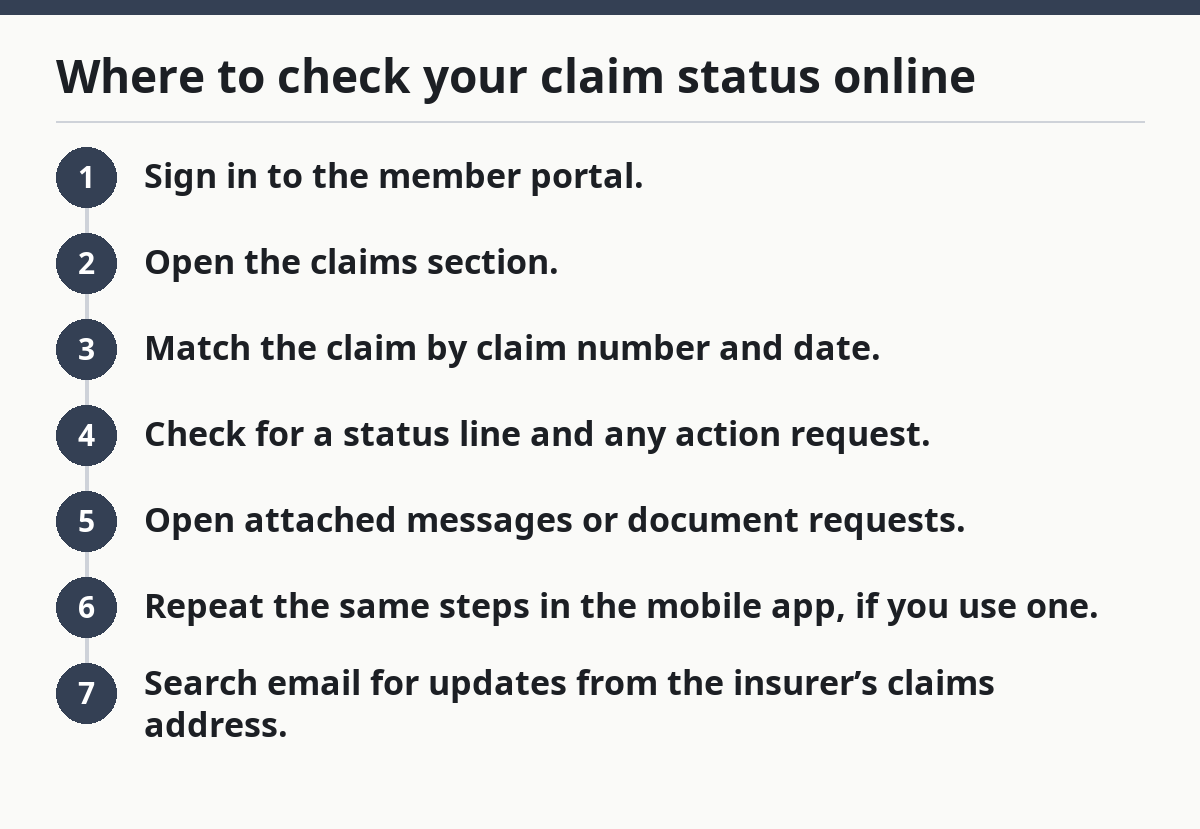
Check in this order:
- Sign in to the member portal.
- Open the claims section.
- Match the claim by claim number and date.
- Check for a status line and any action request.
- Open attached messages or document requests.
- Repeat the same steps in the mobile app, if you use one.
- Search email for updates from the insurer’s claims address.
If you cannot find the claim online, that does not automatically mean the claim was lost. It may mean the file is tied to a different login, an older policy account, or a paper submission that has not been linked yet.
Check these details before you worry:
- Your policy number
- The claim reference number
- The email address on the policy
- The pet’s name as listed on the account
- The submission date
One small mismatch can hide the claim from view. Wrong email, wrong login, wrong portal.
How to track a pet insurance claim online
Picture this: you want a clean answer in under 5 minutes, not a scavenger hunt across three apps and two inboxes. The most reliable method is to start with the claim number, confirm the right account, and then check whether the insurer lists a live status or just a message feed. That is the core of online pet insurance claim tracking.
Here is the practical sequence:
- Log in to the insurer’s member portal using the same email tied to the policy. Verify the URL is the insurer’s official site and not a look-alike page. If the login fails twice, reset the password rather than guessing.
- Open the claims tab or claims dashboard. Look for a claim number, submission date, and current status. If the file is missing, compare the email on the account with the email used on the claim form.
- Match the claim reference number from your receipt, confirmation email, or upload screen. Verify the last 4 digits or full string exactly if the portal uses one. A mismatch usually means you are in the wrong file or wrong policy.
- Check the status label and any message next to it. Common labels include received, in review, pending documents, or complete. If the status is blank, the portal may not support full online tracking for that insurer.
- Open the messages or notifications area. Look for a request for records, a note that an email was sent, or a link to upload documents. If there is a deadline in the message, note it right away.
- Inspect your email inbox and spam folder for claim alerts. Search by the insurer name, claim number, and pet name. If messages arrive by email but not in the portal, the file may be updating in one system before the other.
- Use the mobile app only after the portal check. App screens often mirror the portal, but some apps hide older messages under a separate inbox. If the app shows a different status, compare timestamps before assuming one is wrong.
- If the claim still does not appear after the login and claim-number check, contact support and ask them to confirm the claim is attached to your policy. Have the policy number, claim number, and submission date ready. A missing attachment or wrong account link is the usual culprit.
A good result is simple: you can find the claim in one place, see its current state, and know whether anything is needed from you. A bad result is silence, blank status fields, or a login that sends you in circles.
What a claim number does for you
Picture this: you call support and they ask for the claim number before they can even look at the file. That number often helps connect the portal, the app, and any email updates to the same claim. Without it, you may end up discussing the wrong case.
The claim number is a reference ID, not a payment amount and not a status by itself. It helps the insurer pull up the right record when names or policy details are similar. It also helps you search your inbox, especially if the insurer sends automated notices from a shared address.
Use the claim number in three places:
- The portal search or claims dashboard
- Email search, including spam and trash
- Any live chat or phone call with support
If the insurer never gave you a claim number, look for the first confirmation email or upload receipt. If that is missing too, you may need to ask support to confirm the claim was logged. The absence of a number is a clue, not a verdict.
A reference number is only useful if it matches the insurer’s system exactly. One missing digit can send you nowhere. That is why the number matters so much in online tracking.
Why your claim status may look limited online
Picture this: you open the portal and see only “received,” with no other detail for days. That can feel frustrating, but it often means the insurer’s public-facing screen is thin, not that nothing is happening. Online tracking is usually a window, not the whole room.
Some insurers update the visible status only after major checkpoints. Others send the important changes by email first, then refresh the portal later. If the portal is missing details, the mobile app may not add much more — it often pulls from the same system.
A few common limits:
- Status labels are broad
- Messages may be hidden under a separate tab
- Older claims may fall off the main dashboard
- App and portal updates can lag behind one another
- Some policies support claims by phone or paper but not full online tracking
If the portal says nothing new but your inbox has a request for documents, follow the email. If both are silent and the claim should already be visible, contact support and ask whether the file is tied to the right account.
When online tracking is not enough
Picture this: you have checked the portal, the app, and email, and the claim still does not show up after a proper login. At that point, online tracking is not the right tool for the problem. You need the insurer to locate the file or confirm whether the claim was attached to your policy at all.
Stop relying on the portal and switch methods if any of these apply:
- The claim number is missing: the file may not have been fully submitted — contact support with your policy details and ask them to confirm receipt.
- The claim appears under a different email: the insurer may have linked it to another account — ask support to merge or locate the correct record.
- The portal shows no claims section: that insurer may not offer full online tracking — use email or phone instead.
- Status has not changed and a document request is listed: the file likely needs your response — upload what was asked for or confirm the message was received.
- The app and portal disagree: one system may lag behind the other — trust the most recent timestamp and ask support which screen is current.
If you are handling a money question that affects your household budget, this is also the point to pause and compare the claim outcome with your own cash flow. A qualified adviser can help with that part if needed. I’m not giving financial advice here; I’m explaining how the tracking system works.
The truth is, not every insurer builds the same digital path. Some are portal-first. Others are email-first. Some still route the final answer through a human rep.
What to do if you want cleaner updates next time
Picture this: you don’t want to repeat the same search next month. The easiest fix is to keep the claim information in one place from the start so the portal, app, and email thread all point to the same record.
Use one email address for the policy if you can. Save the claim number as soon as it arrives. Keep the vet invoice, submission receipt, and any request for documents in one folder. If the insurer has a mobile app, turn on notifications so you do not miss a status change.
A simple setup helps:
- One policy email
- One file folder for claim documents
- One note with the claim number and submission date
- Notification settings turned on for app and email
- A reminder to check spam if messages stop arriving
That won’t make every insurer’s system better. It will make yours easier to follow.
For the bigger picture on claims and payment flow, the hub on pet insurance claims and reimbursement workflow is the right next stop. For broader policy guidance, see our pet insurance coverage guide and how pet insurance reimbursements work. This page stays focused on tracking the claim, not the rest of the process.
FAQ
Where do I check my pet insurance claim status?
You usually check it in the member portal first. If the insurer has a mobile app, the same status may appear there too, along with email notifications tied to the claim number. If you still cannot find it, support can confirm whether the file is linked to the correct policy.
Do all insurers have online tracking?
No, not all insurers offer full online tracking. Some show only basic status labels, while others rely more on email updates or phone support. A missing portal view does not always mean the claim is missing; it may mean that insurer’s system is limited.
Can I get updates by email or text?
Often yes, but it depends on the insurer’s notification settings. Email is more common than text, and some companies only send alerts when a document is needed or the status changes. If text alerts matter to you, check the account settings or ask support how notifications are sent.
Drafted with AI; not yet reviewed by a person.